
The best smart security camera is not one universal model; it is the camera type that matches where it will be installed, how it will be powered, what area it must capture, how recordings are stored, and what privacy controls you are willing to manage. Prioritize security and support policy before novelty features.
TL;DR: Choose wired power for high-traffic locations when practical, battery models for flexible placement, weather-rated cameras outdoors, local storage when you want less cloud dependence, and products with encryption, update support, strong account security, and useful notification controls.
Camera Types at a Glance
| Camera type | Best fit | Main advantage | Main trade-off |
|---|---|---|---|
| Plug-in indoor | Entry rooms, pets, common areas | Continuous power and easy setup | Needs an outlet and careful privacy placement |
| Battery outdoor | Gates, sheds, rental-friendly locations | Flexible mounting | Requires charging and may record in event-triggered clips |
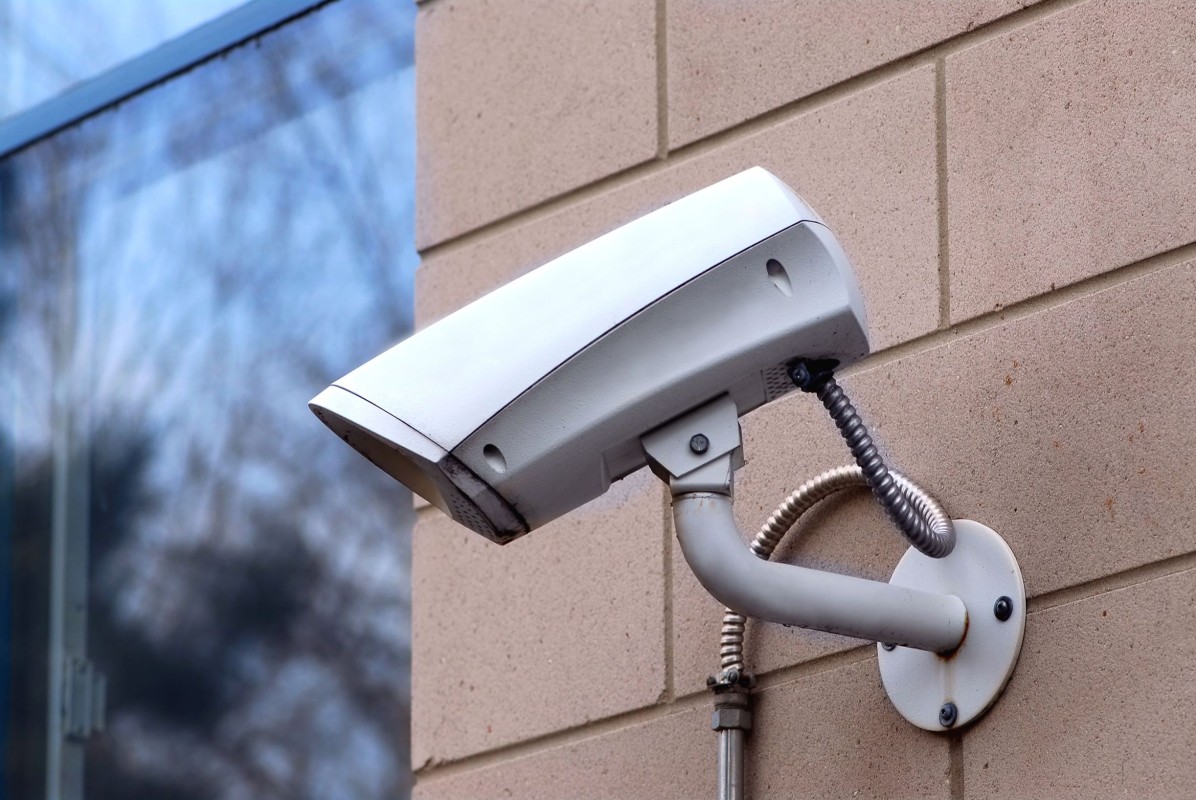
| Wired outdoor | Driveways and high-activity zones | Reliable power and steady coverage | Installation can be more involved |
| Doorbell camera | Front-door activity and deliveries | Useful visitor perspective | Narrow purpose and privacy considerations |
| Local-storage system | Users limiting cloud dependence | More control over recordings | Hardware management and backup become your responsibility |
These categories are a practical shortlist, not a ranking of specific brands. Models change quickly, and a feature that matters in one home may be irrelevant in another.
Start With the Threat You Actually Want to See
A camera pointed at a quiet side gate has different needs from one monitoring a busy driveway. Write down the events you care about: people approaching a door, vehicles entering a driveway, package activity, pets indoors, or general awareness when nobody is home.
Then consider viewing distance, lighting, weather exposure, internet reliability, and whether the camera can be placed high enough to reduce tampering while still being reachable for maintenance. More resolution is not automatically better if the lens angle, night lighting, or placement is poor.
Cameras also work best as one layer of a broader security plan. If you are protecting irreplaceable records and small valuables, physical storage still matters; see the guide to home safes for documents, jewelry, and backup drives.
Security Features Belong on the Shopping List
The Federal Trade Commission’s camera-security guidance recommends looking for encryption, updating software, replacing default credentials, using strong unique passwords, and enabling two-factor authentication when available. Those controls are not optional extras if the camera records private areas of a home.
Before buying, check how long the manufacturer promises software or security updates, whether the device can receive automatic updates, and what happens when support ends. Review whether the account supports two-factor authentication and whether shared users can receive separate logins rather than one shared password.
Also verify how remote viewing works. If a camera requires a cloud account, understand what recordings or metadata leave your home and how long they are retained.
Indoor Cameras Need Stronger Privacy Discipline
Indoor cameras can capture more sensitive activity than outdoor units. Avoid placing them in bedrooms, bathrooms, or other highly private spaces. If a camera monitors children, caregivers, roommates, guests, or workers, consider consent, local laws, and household expectations before recording audio or video.
Physical privacy shutters can be useful because they give an obvious visual indication that the lens is blocked. App-based “off” modes are convenient but depend on software behavior. Choose whichever control gives your household a clear and trustworthy routine.
The FTC’s broader internet-connected device guidance also recommends securing the home router, keeping device software current, and disabling features you do not use. A well-secured camera connected to a neglected router is still part of the same network.
Outdoor Cameras Need Weather and Power Planning
Outdoor cameras should be specifically rated for outdoor use and installed within the temperature, moisture, and exposure limits in the manufacturer’s documentation. A covered porch and an exposed eave can have very different conditions.
Battery cameras are attractive where wiring is difficult, but charging frequency depends on temperature, signal strength, event frequency, clip length, and device settings. Solar accessories can reduce charging in suitable locations but need enough sun exposure. Plug-in or hardwired options can be better for busy locations where frequent motion would drain a battery quickly.
Do not create unsafe extension-cord arrangements or drill through exterior walls without understanding weather sealing, wiring, and structure. A qualified installer may be appropriate for hardwired systems or difficult exterior penetrations.
Local Storage Versus Cloud Storage
Cloud storage is convenient because recordings remain available even if the camera is damaged or stolen, but subscriptions, retention policies, and privacy practices vary. Local storage can reduce ongoing fees and cloud dependence, but the recorder or memory card can be lost with the device unless it is secured or backed up.
Some systems support both. That hybrid approach can provide convenience plus redundancy, but it may also increase configuration complexity. Before choosing, decide how many days of history you realistically need and what event would make you want footage after the camera itself is gone.
Detection Quality Matters More Than Notification Volume
Motion alerts are only useful if you can tolerate them. Look for adjustable activity zones, person or vehicle detection where relevant, scheduling, and sensitivity controls. A camera that sends an alert for every moving branch may be technically active but practically ignored.
Test the system after installation by walking through the important areas at different times of day. Check whether faces or clothing are recognizable at the actual distance that matters. Night performance should be evaluated with porch lights, vehicle headlights, and other real lighting conditions rather than a showroom sample.
Think About Mounting Before Buying
A camera’s field of view can be defeated by poor mounting. Place the device where eaves, downspouts, porch columns, screens, and shrubs will not block the scene. Avoid aiming directly at bright lights or reflective surfaces when possible.
Mounting also creates a physical fastener problem. For masonry, siding, soffits, and framed walls, use appropriate hardware and avoid hidden utilities. The same planning principles in securely hanging shelves, mirrors, and art apply: identify the substrate, use rated hardware, and do not drill blindly.
The Best Choice Is the One You Will Maintain
A sophisticated camera is not useful if its battery is always dead, notifications are disabled because they are noisy, or the app has not been updated in a year. Choose a system whose maintenance burden matches your habits. Schedule occasional checks for lens dirt, loose mounts, battery status, firmware updates, storage capacity, and account access.
For most homes, the strongest shortlist begins with three questions: where must the camera work, how will it remain powered, and how will recordings stay private and secure? Answer those before comparing image-processing features or cosmetic design.
Home and garden content is for informational and educational purposes only. Security, privacy, electrical, structural, and recording laws vary by location; consult qualified professionals or local legal guidance where appropriate.
Create a two-column camera plan before shopping: list each location on the left and its power, weather, privacy, and storage requirements on the right.